Wedding invitations by text message, sent from your own phone
Written by the Wedvite founders
Yes, you can send a wedding invitation by text. With Wedvite you design it, publish it and paste one link into iMessage or Android Messages from your own phone. Guests see a card with your envelope, tap it, watch the envelope open and RSVP on the page. It costs $49 once for unlimited guests.
Wedvite's list price is $89. This code brings it to $49, applied automatically at checkout:
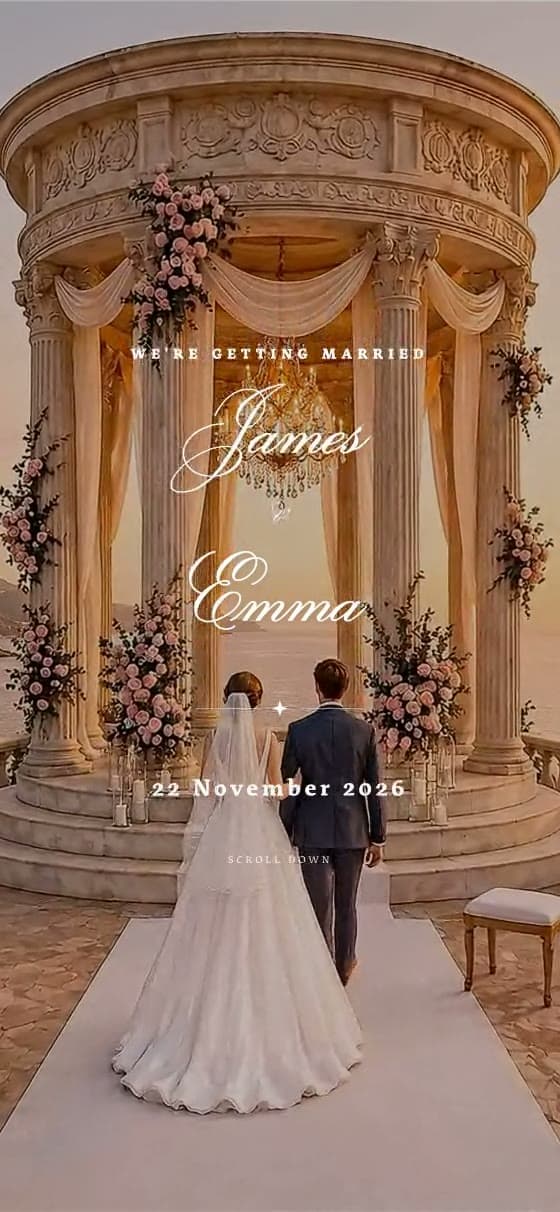
Tap to open the live invitation
What arrives when you text the link
An envelope card, not a bare address
The link carries a square picture of your own envelope and a "You're invited" title with your names, so the text looks like an invitation before anyone taps it.
See it →Every reply on one list
Guests answer on the invitation itself: coming or not, how many, and a note for you. You read one live list instead of a separate text thread per guest.
See it →Change details after the texts go out
Move the start time or swap the venue and the same link shows the new version. No one is left holding an outdated picture in their messages.
A limit on party size
Set one maximum party size for every reply, so nobody can add a crowd from the same text; name who is invited in your message.
See it →Free to try on your first guests
Design it free and text the preview to your first 10 guests before you pay. Once you publish, that early link forwards to the finished invitation.
What does a guest see when your text arrives?
In iMessage, a link sent on its own line becomes a preview card: the square picture of your envelope, the title "You're invited" with your two first names, and wedvite.net in small type underneath. Google Messages on Android draws a similar card in most chats. Where a phone shows only the plain address, for example an older handset on basic SMS, the link still opens exactly the same invitation, so nobody misses out.
One iPhone habit is worth knowing. When the sender is not saved in the guest's contacts, iMessage may show "Tap to load preview" instead of the card, so text from the number your family already has. After the tap, the invitation opens in the phone's browser: the envelope opens, your song plays if you added one, and the names, date, schedule, map and RSVP follow. There is nothing to install and no account to create.
Why text a link instead of a video or an image?
A video invitation is a large file, and picture messages are squeezed hard by carriers, so a crisp design often arrives blurred, slow to download or not at all. A group picture message also turns every reply into a group reply. An image cannot take an RSVP, cannot open a map, and cannot be corrected once it is sent: a typo or a changed time means sending a second image and hoping people delete the first.
A link is a few characters in the text and the full invitation behind it. Guests reply on the page, tap through to the venue on a map, and always see the latest version. If an aunt still wants a picture to keep, the editor makes a free poster image with your names, date and a QR code that opens the same invitation, which you can text alongside the link.
How do you text the invitation to everyone?
Wedvite does not send texts. You do, from your own phone, which means each guest gets the message from a number they recognize. For most lists that means individual texts, or small groups of close family, because in a large group thread every congratulation reaches everyone on it. Copy the link once from your share page, then paste it into each message under a line of your own.
Keep the words short and put the link last, on its own line, so the preview card sits under your message. Mention the reply date in the text itself, because it is the one detail guests need to act on. Four messages to copy follow, in this order: formal, casual, one for an older relative and a reminder of the reply date. Replace the names, date and place, and paste your invitation link where it says so before you press send.
- ✦Together with their families, Olivia Hart and James Reed request the pleasure of your company at their wedding on Saturday, June 12, in Charleston. Please open your invitation and reply by May 1: [your link]
- ✦We're getting married. Olivia and James, June 12, Charleston, and we really want you there. Everything is in here, and you can RSVP in about a minute: [your link]
- ✦Hello Aunt Ruth, it's Olivia. James and I are getting married on June 12. Tap the blue link below, then tap the envelope to open your invitation: [your link]
- ✦Hi, a quick reminder that RSVPs for our wedding close on May 1. If you haven't answered yet, it takes a minute here: [your link]
Can you control plus-ones when the invitation goes by text?
Yes, in two ways that work together. In the RSVP settings you set the most people one reply can include, from one upwards, and the form will not accept a bigger party. You can also set an RSVP deadline, after which the form closes and tells late guests to contact you directly, so nobody appears on your list after you have confirmed numbers with the venue.
Because everyone receives the same link, the wording of your text still does some of the work. Naming the people invited in the message, "we'd love to see you and Sam", is the clearest way to tell a guest who the invitation is for. Your reply list then shows who answered and how many each reply brings, so the numbers you give the venue come from one place.
The questions everyone asks.
Do you text my guests for me?+
Will the invitation open on Android phones?+
Can I see who opened the text?+
How much does it cost to send wedding invitations by text?+
What if the venue changes after I've sent the texts?+
Can I send the same invitation by WhatsApp and email too?+
One link. Every guest.
Design it free, share it with your first 10 guests, then pay $49 once for unlimited guests — RSVP, envelope and WhatsApp delivery included.
Start your invitation