A destination wedding website guests in every country can follow
Written by the Wedvite founders
A destination wedding website has to carry the travel as well as the date. Here it is one link holding the weekend's schedule, every venue with its own map link, a hotel and transport note you write, the dress code, and an RSVP that asks where guests are staying, with a language toggle for a second language.
Wedvite's list price is $89. This code brings it to $49, applied automatically at checkout:
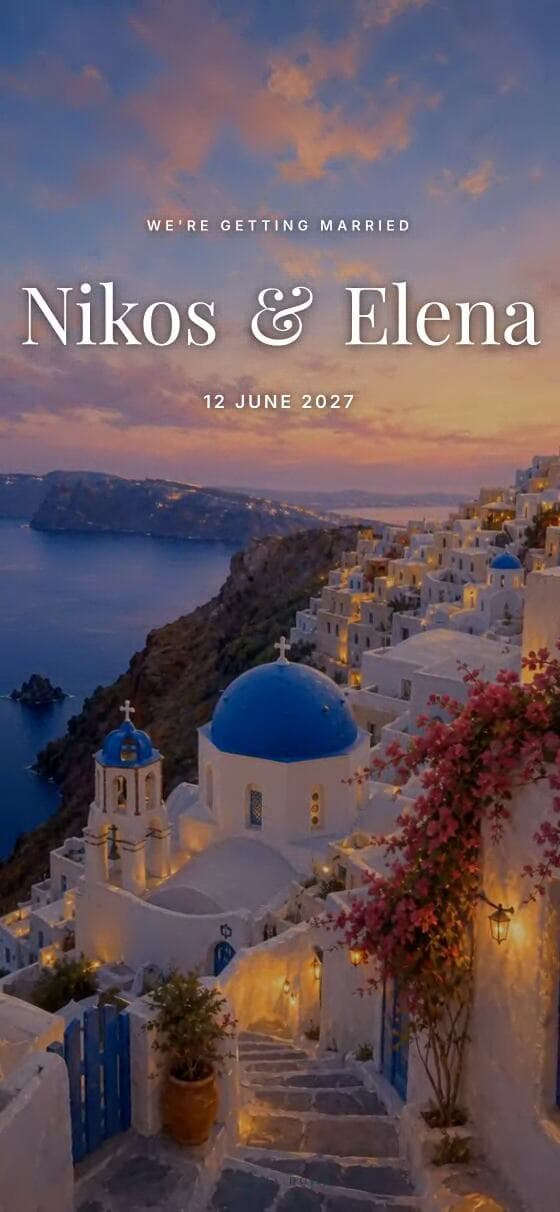
Tap to open the live invitation
What guests flying in can find on the page
Every venue of the weekend
The main venue gets an embedded map. A welcome dinner or a beach lunch goes into your own section as an extra location, each with an address line and a Google Maps button.
See it →An RSVP that asks about travel
Switch on the hotel question and the transport tick box, and your reply page shows where people are staying and how many need a ride to the venue.
See it →Two languages, one link
Add a second language for $10 and guests switch with a toggle on the page. With Arabic as one of the two, the schedule and every venue row carry their own text in each language.
See it →Designs drawn for travel weddings
Toscana, Santorini, Palma and Provence were made around vineyards, island whitewash, palms and lavender, with room for a weekend's program of events.
Real designs · open every preview
Destination designs with room for a weekend



What should a destination wedding website include?
Everything a guest needs to book and arrive. That means the full schedule rather than only the ceremony time, each place they need to reach, where to stay, what to wear in that climate, and a reply date early enough for flights. Our schedule section holds as many rows as you need, each with a time, a title and a line of description; there is no separate date field, so a three-day weekend reads well with the day written into the title.
The venue section shows the main venue on an embedded map. For the other places of the weekend, add your own section and list them as extra locations, each with an address or time line and its own Google Maps button. The dress code section takes a few lines of wording, which is the place to mention sand, heat or a cliff-top breeze.
- ✦Friday welcome drinks, with a time
- ✦Saturday ceremony and dinner rows
- ✦Sunday farewell lunch
- ✦A map link for every venue
- ✦Hotel name, rate and booking code
- ✦Airport and transfer notes
- ✦Dress code for the climate
- ✦An RSVP deadline that suits flights
How do hotel and travel details work?
As text you write, not as a booking system. There is no hotel-block or booking integration: you add your own section and type the hotel's name, the room rate you agreed, the booking code and the hotel's web address, along with anything about airport transfers or ferries. Guests read it on the same page as the schedule, and you can correct it at any time after sending.
On the reply side, the full RSVP form can ask each household where they are staying and whether they need transport to the venue. Those answers appear on your private reply page next to attendance and meal choices, and download as a CSV, which is the list a transfer company or the hotel usually asks for. Set the reply deadline early enough that the numbers reach them before their own cut-off dates.
What about guests in different time zones?
The invitation shows the time exactly as you type it, which should be the local time at the venue. It does not convert times for a guest reading in another country, so a ceremony at five in the afternoon reads as five in the afternoon in New York and in Lisbon. Writing local time beside the first row of the schedule removes any doubt for guests checking from home.
The invitation itself has no add-to-calendar button. That belongs to our separate Save the Date, a single opening screen for $19 that carries Google Calendar and Apple or Outlook calendar buttons. Couples planning abroad often send it months ahead, then send the full invitation once venues and hotels are confirmed. The calendar entry keeps the clock time you wrote, so the same local-time note helps there too.
Can the website speak two languages?
Yes, and for a wedding abroad it often should. Your first language is included and each extra language is $10. Guests switch with a toggle on the page, and the same link serves everyone, so you never send two versions to two groups of family. The wording on the page follows the language each guest picks, and every reply still lands on one list.
When one of the two languages is Arabic, the schedule and location rows keep their own text in each language. Two languages that are both non-Arabic, such as Spanish and English, share one schedule text, so write those rows in the language most guests read, or in both on one line. Everything else on the page, from the welcome to the dress code, has its own text in each language.
The questions everyone asks.
Can guests book hotel rooms through the website?+
Can I list more than one venue?+
Can guests add the wedding to their calendar?+
Does the website show times in each guest's time zone?+
How much is a destination wedding website?+
When should we send it?+
One link. Every guest.
Design it free, share it with your first 10 guests, then pay $49 once for unlimited guests — RSVP, envelope and WhatsApp delivery included.
Start your invitation